Lesson 1 of 6 · 4 min
Meet the Fjord design tools
AI in Design is a helper who is fast but does not know your shop. You say what you want, it makes a draft, and you decide if the draft is good.
Where they are
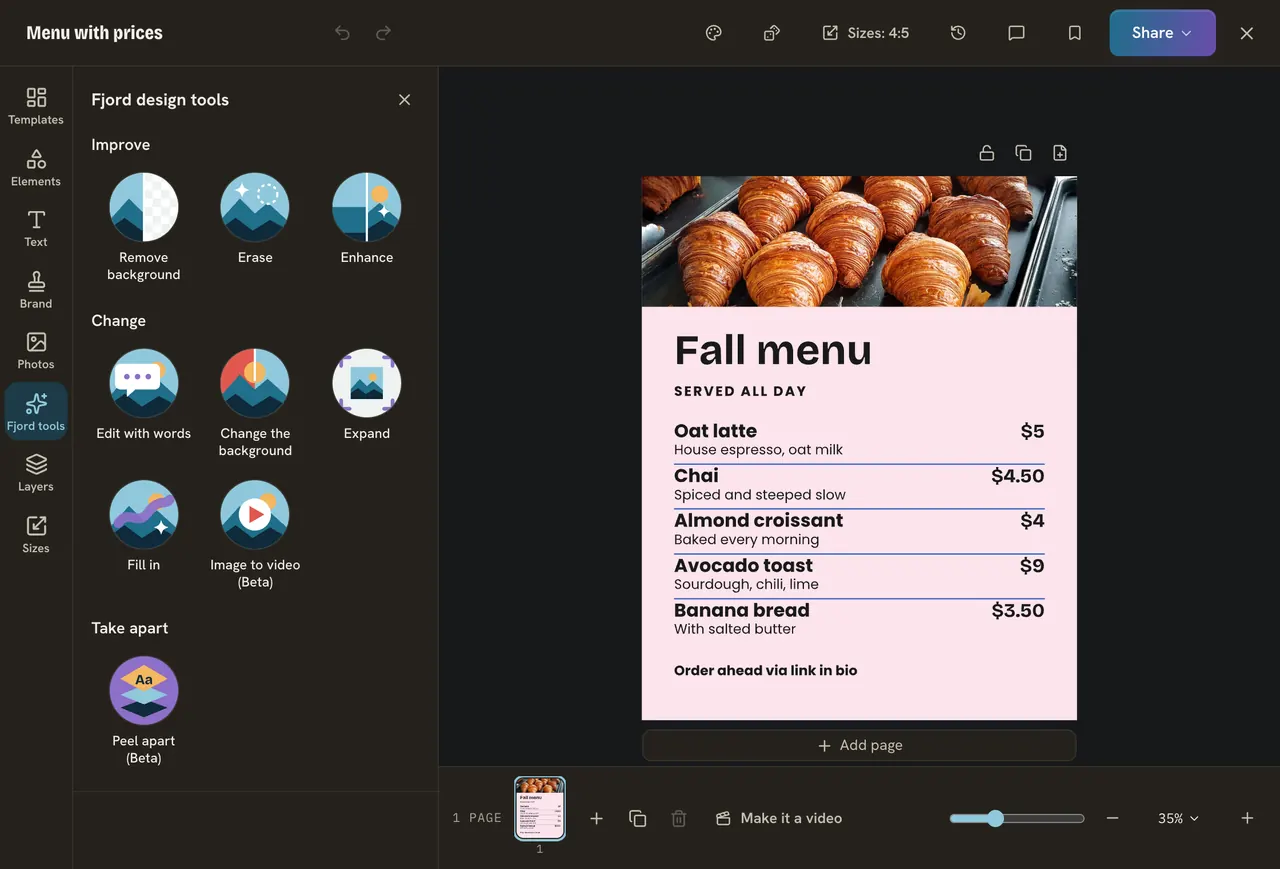
- Open Templates and pick a template for a Saturday offer. Search for "offer" or "sale".
- Press Fjord tools on the left. On a phone, press Add, then Fjord tools.
- Pick a photo and look at the bar at the top. The photo tools are under Fjord tools there too.
Forgot where something is? Press Cmd+K (Ctrl+K on Windows) and type its name.
What each tool is for
| You want to | Use |
|---|---|
| Change the words on a design | Rewrite |
| Take the background out of a photo | Remove background |
| Take something out of a photo | Erase |
| Change a photo with a sentence | Edit with words |
| Make a flat picture editable | Peel apart |
| Get the design in another language | Translate the whole design |
| Make a photo move | Image to video |
Who pays
- Your plan. The tools are on the paid plans. On Free you see a short note.
- Your AI budget. Each run uses a small part of your plan's monthly AI budget, shared by every workspace you own. Your account page shows how much is used.
A run that fails costs nothing. A run that works but gives a result you dislike still counts, so write a clear request the first time. Nothing runs until you press a tool.
Every result is a draft. Prices, dates, names and promises are yours to check. The AI does not know that your cookie offer ends at 3 pm.
Do it
- Write down the one thing your post should say. For Corner Bean: "Free cookie with any large latte this Saturday."
- Find Fjord tools in Design.
- Keep the note open for the next lesson.
Quick check · 3 questions
Check what stuck
You are on the Free plan. What happens when you open a Fjord design tool?
Show the answer
You see a short note that the tools are on the paid plans, and the rest of the editor still works. The tools are on the paid plans. Everything else in Design works on Free.
A tool made a picture you do not like. Does it still use your AI budget?
Show the answer
Yes, when the AI made the result, even if you do not keep it. Only a run that fails costs nothing. A result you dislike was still made, so ask clearly the first time.
What is the quickest way to find a tool whose place you forgot?
Show the answer
Press Cmd+K or Ctrl+K and type its name. The search in the editor finds tools, panels and menus by name.
In this course
- 1Meet the Fjord design toolsWhere the AI tools live in Design, what each is for, and what they cost. · 4 min
- 2Change the words with RewriteRewrite one text, a whole carousel or pick a template from a goal, and when to type the words yourself. · 5 min
- 3Clean up your photoRemove a background, erase something, change a photo with a sentence, and the jobs hand tools do better. · 6 min
- 4Edit a flat picture and translate a designTurn a picture with words on it into text you can change, and copy a design into another language. · 5 min
- 5Make a photo move, and let Bo fill your pagesTurn a photo into a five second video, add motion with Animate for me, and fill a design with words Bo wrote. · 5 min
- 6Check the result before you postA short checklist for any AI result, what each run costs, and what to do when it goes wrong. · 4 min