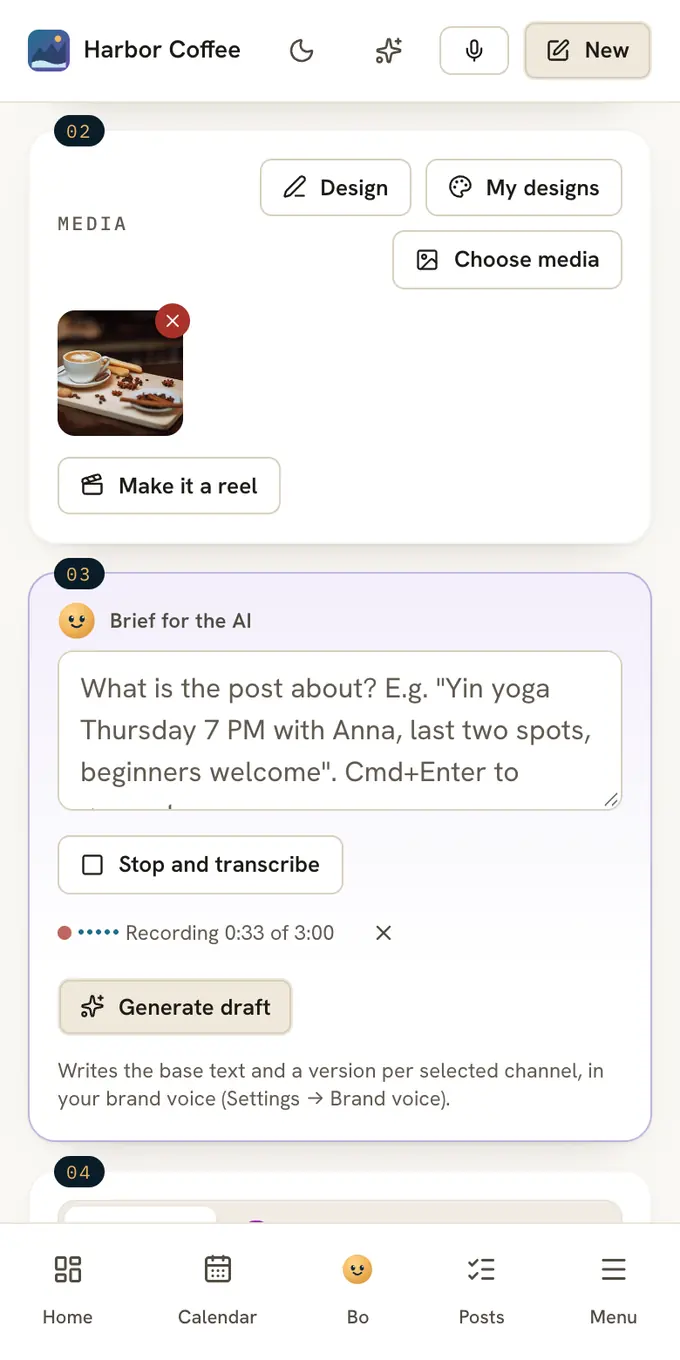
Press Dictate, say what the post is about, and press Stop and transcribe. Your words land in the brief as text, without the "um" and "like". Press Generate draft, and Claude writes the post in your brand voice.
Most owners know what they want to post. Typing it on a phone between two clients is the part that never happens.
- 3 minthe longest recording, enough for one post or one email
- < 1¢a minute of dictation, from your plan's AI budget
- 4places to dictate: the composer, Ideas, Bo and the email editor
How it works
Press Dictate
Next to Generate draft in the composer. The first time, the browser or phone asks for the microphone.
Say it
Talk the way you would tell a colleague. The screen shows how long you have recorded. At three minutes it stops by itself.
Press Stop and transcribe
The text lands in Brief for the AI. Fix a name or a time if you need to.
Press Generate draft
Claude writes the post for each channel you picked. You read it and press Schedule yourself.
Say it, and get a post
You do not have to sound like a caption. Say the facts and the mood, and Claude adds the hook, the structure and the call to action from your brand voice.
Saturday we do walk-in blowouts, ten to two, $35, no booking needed, first time we try this, keep it short and happy
Saturday walk-in blowouts, 10 AM to 2 PM, $35, no booking needed. First time we try this. Short and happy.
After Stop and transcribeNo booking, no waiting list. This Saturday from 10 AM to 2 PM, walk in for a blowout, $35. First time we try it, so come say hi.
After Generate draftA salon post in under a minute, ready to read and schedule.
Names, prices and times come through the way you said them. Check them in the brief before you generate. That is the step where a word can still come out wrong.
Where you can dictate
- The composer. Say the brief, then press Generate draft for a post on each channel.
- Ideas. Press the microphone and say the idea the moment you have it. Here it is written down word for word, and nothing is rewritten.
- Bo. Every card with words has a Change it button. Say what you want different, like shorter or warmer.
- The email editor. In Mail, press Dictate under the brief in Write with Bo, or the microphone to say what to change.
Any major language
Speak the language you want the post in. English and most other major languages work, and the text comes out in the language you spoke. The draft then follows the language set in your brand voice.
Your recording is not kept
OpenAI turns the recording into text. Postfjord never stores the recording, and OpenAI does not use it to train its models. Only the text you keep ends up in Postfjord.
If your workspace uses its own ChatGPT key under Settings, AI, dictation runs on that key.
Read on
FAQ
Does dictation work on my phone?
Yes, in the Postfjord app for iPhone and Android, and in Safari or Chrome on any phone. It does not work inside the Instagram or Facebook app's own browser, so open Postfjord in Safari or Chrome.
Why does Dictate say it may not use the microphone?
The browser or phone said no to the microphone. In the browser, click the icon to the left of the address and allow it. On a phone, open the phone's settings, find the browser and turn the microphone on.
Is my voice recording stored?
No. The recording is turned into text and then discarded. Only the text you keep ends up in Postfjord.
Is dictation included in my plan?
Yes, on every plan, including Free. It comes out of the same monthly AI budget as your drafts, at less than a cent a minute.
What if it gets a word wrong?
The text lands in the brief, not in the post. Fix the name or the time before you press Generate draft.