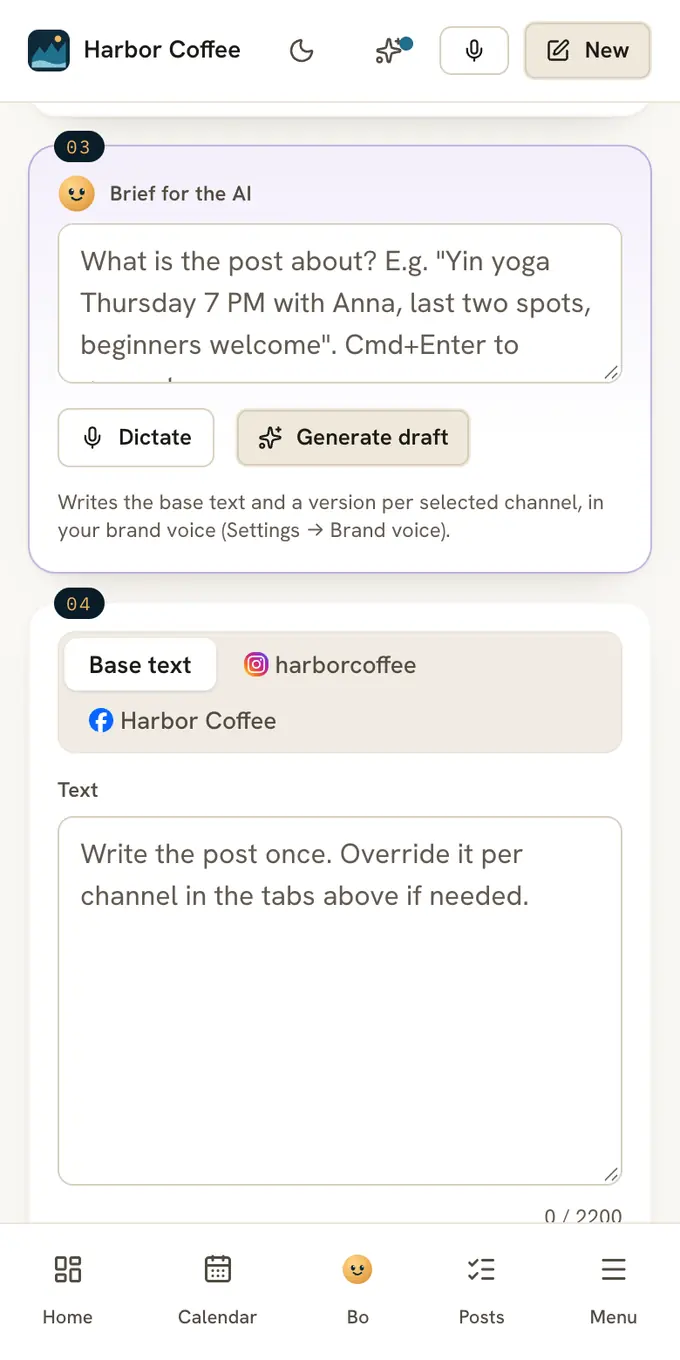
Write one line about the post and press Generate draft. Claude writes the caption the way your brand writes, with a version for each channel you picked and hashtags that fit. You read it, change what you like and press Schedule yourself.
- 100recent posts per account Postfjord can read to learn how you write
- 4short notes from Check post: brand voice, first line, next step and risky promises
- 1 minor less to turn one idea into a post for each channel and an email draft
From a brief to a draft
Pick the channels
Click the accounts the post should go to, for example Instagram and Facebook. Generate draft stays grey until one is picked.
Write a short brief
Type it in Brief for the AI, or press Dictate and say it. One or two lines is enough.
Press Generate draft
Claude writes the base text, a version for each account that needs one, hashtags, and a first comment for Instagram when it fits.
Read it and schedule
Change any word. Nothing is published or scheduled until you press Schedule or Publish now.
Next to the button you see why Claude wrote it that way and what the draft cost.
One brief, two channels
A café wants more people in on a slow Tuesday morning. Here is what goes in, and what a draft can look like.
New oat milk cold brew, $4.50, Tuesday from 7 AM, first 20 cups get a free cookie, friendly and short
Cold brew, now with oat milk. $4.50 from 7 AM on Tuesday, and the first 20 cups come with a cookie on us. See you at the counter?
With 5 hashtagsSomething new on Tuesday: oat milk cold brew for $4.50. We open at 7 AM, and the first 20 cups get a free cookie.
No hashtagsTwo versions from one brief. Edit either one before you schedule.
Write the brief the way you would tell a colleague. Names, prices and times come through as you wrote them.
Your brand voice comes first
The drafts follow what you set under Settings, Brand voice. There are four ways to start it:
- Write it yourself. Start with About the brand. The rest can wait.
- Draft from my posts. Postfjord reads up to 100 recent posts per account and drafts the profile from the 20 that got the most likes and comments.
- Draft from my website. Postfjord reads your home page and up to two about pages and drafts your tone, audience and post style.
- From a template. Pick your type of business, like a yoga studio or a gym, and fill in the [brackets].
Add rules of your own, like "never name a price" or "always mention the teacher", and every draft follows them. Nothing is saved until you press Save.
Every draft also follows a house standard: no long dashes, no words that give a machine away, a number or a name in place of an adjective, and at most two emoji.
Fit each channel
Every account you pick gets its own tab. Three buttons at the top of each tab ask Claude for help with that account only:
- Rewrite writes this account's text again in your brand voice, fitted to the platform.
- Shorter makes it shorter.
- Hashtags suggests hashtags for the text and puts them in the Hashtags field. Up to 30 on Instagram, 5 on LinkedIn and 1 on Threads.
The base text stays as it is. Leave a tab empty and that account posts the base text.
Check it before it goes out
Press Check post under the text. In a few seconds you see whether it sounds like your brand, whether the first line makes people read on, whether there is a clear next step, and whether it may promise a health or money result. Green is fine, yellow is worth a look, red needs a change. The same check looks at whether ChatGPT, Claude, Gemini and Perplexity can quote the post.
Press Check in-feed to see if the point is in the post or behind the link. When it helps, Claude writes the point into the post, and you pick Use this text or Keep mine.
Both checks are advice. They never stop you from saving or scheduling.
One idea, every channel
Have one good tip? Press Start from an idea under the brief, or press Turn into on the Ideas page, then A post, then One for every channel.
- Your idea: A few sentences, or the link to your own blog post
- Write every format: A card per channel, an email draft, a website section if you want one
- Check the cards: Change any text, untick what you do not want
- Create drafts: Only ticked cards become drafts. Nothing is scheduled
Add your blog's feed under Settings, Apps, and each new blog post becomes drafts once a day, for up to 12 channels.
A week from your plan
Bo is the assistant in Postfjord that plans. Press Plan next week in the Calendar, and Bo writes the week's posts from your strategy and your content pillars. Or switch on Bo plans next week every Sunday in Strategy, and the plan waits for you at 6 PM every Sunday.
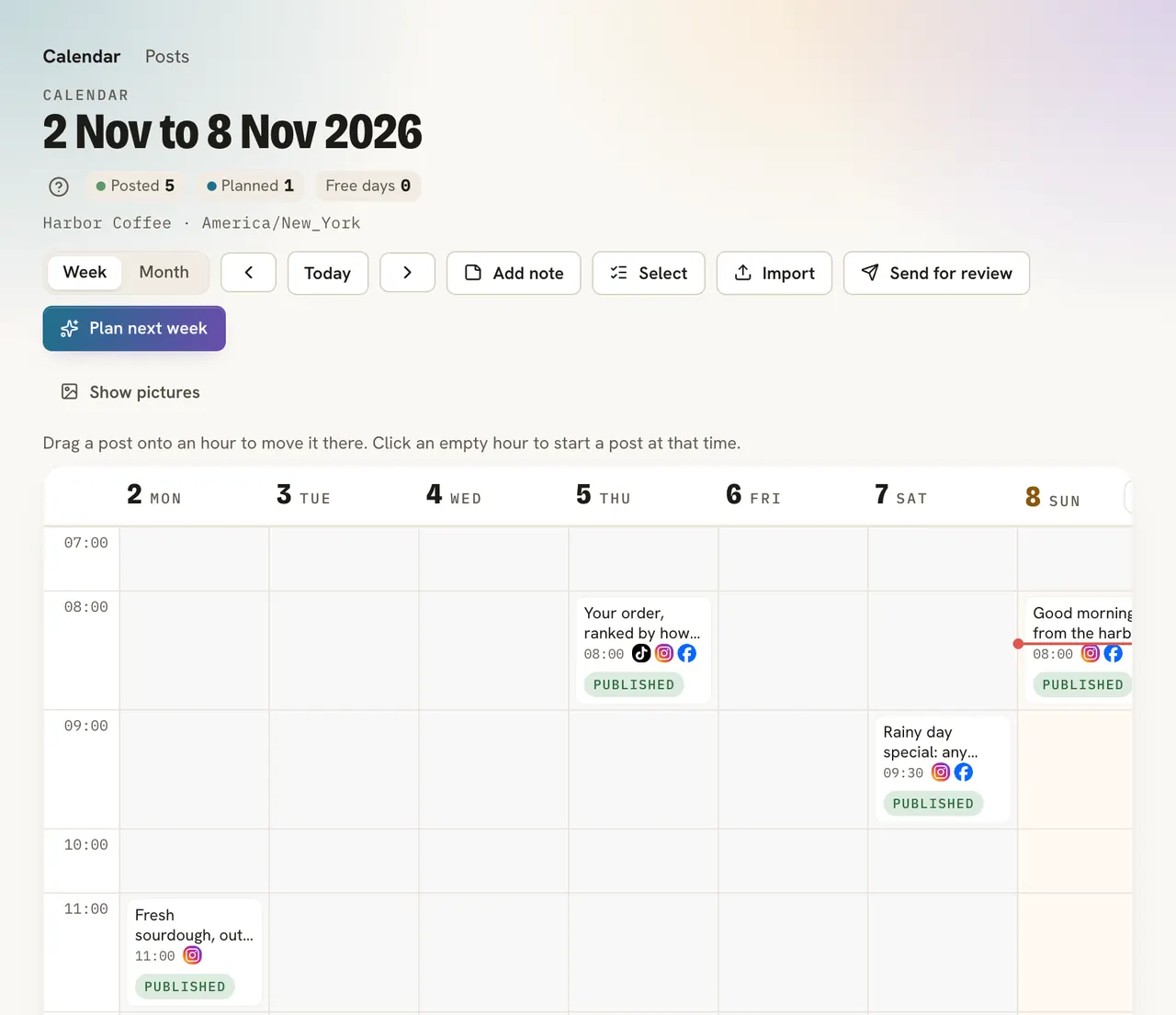
Only the posts you approve go into the calendar. Bo plans at most 10 posts a week, and 3 on Free.
Prefer your own words
Turn on Write it myself on the Ideas page, and every AI button in the composer and on Ideas is hidden for you. Your ideas stay away from Claude and Bo. The setting is yours alone, so the rest of your team keeps their own choice.
What it costs
The composer is in every plan, Free included. Each plan has a monthly AI budget, shared by every workspace you own. A draft costs a few cents from it, and a check costs a fraction of a cent. There are no credits to top up.
Already pay Anthropic or OpenAI? Connect your own key under Settings, AI, and those calls stay outside your plan's budget.
Read on
FAQ
Do I have to use the AI?
No. Write every post yourself if you prefer. Turn on Write it myself on the Ideas page and the AI buttons are gone for you.
Does Claude publish anything by itself?
No. Generate draft only fills in the text. You press Schedule or Publish now yourself, and Bo's week plans wait for your yes.
Which language does it write in?
The one at the top of your brand voice page. When nothing is set there, each draft comes out in the language of your brief.
Will Generate draft overwrite what I wrote?
Yes, it replaces the text and the accounts' own text. Press it before you start writing, or copy your own words into the brief.
Is my content used to train AI models?
No. Anthropic and OpenAI do not use data sent through their APIs to train their models.
What happens when the AI budget runs out?
Drafts stop until next month. Everything else keeps running: scheduled posts still go out.