Academy / Turn comments into customers
Lesson 4 of 5 · 5 min
Write the post that asks for the comment
Quick recallWhy does the public reply have up to three variations?Think of your answer, then open.
So Meta does not see the same sentence under a hundred comments. Postfjord picks one at random for each comment, which looks less like a bot.
The automation only answers people who comment. This lesson is about getting them to.
Say the offer in the first line
On Instagram only the first line or two show before "more". Put the offer there:
- "Want our summer class schedule? Comment SCHEDULE."
- "The 10 minute morning routine I do every day. Comment GUIDE and I'll send it."
Use the rest of the caption for why it is worth having, and end by repeating the ask. Make the picture do the same job: show the schedule, the recipe or the guide's cover, with the keyword as text on the image.
Attach the automation in the composer
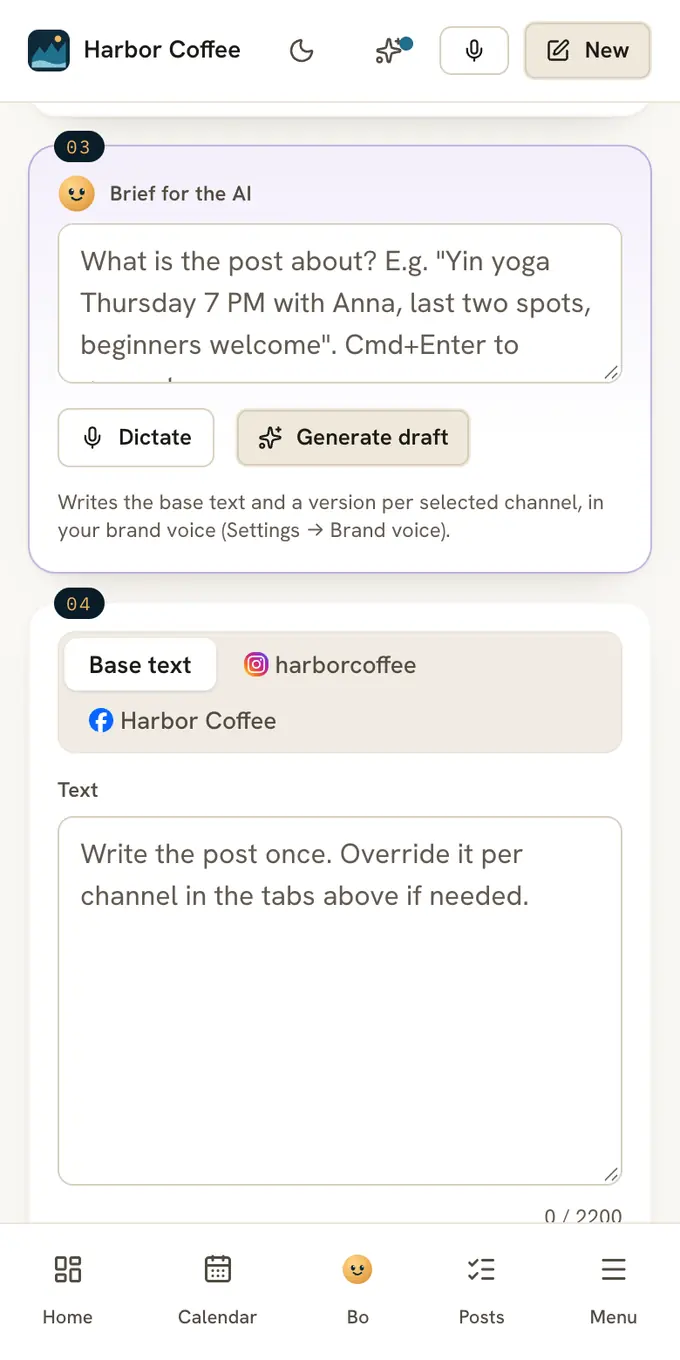
Write the post in Postfjord with an Instagram or Facebook account selected. A card called DM automation for this post sits under the channel tabs. Pick the automation from the last lesson, or press Create one from a keyword and fill it in right there.
The moment the post is published, Postfjord attaches the live post to the automation, and it starts answering at once.
Get the first comments
The first hour matters. Reply to early comments by hand too, with a few words of your own: the automation sends the DM, you add the human part. Share the post in your story with "Comment SCHEDULE on my latest post".
Do it
- Press the button below. The brief is filled in.
- Check that the offer and the keyword are in the first line.
- Attach your automation under DM automation for this post.
- Publish, then reply to the first comments yourself.
Quick check · 3 questions
Check what stuck
Where should the offer and the keyword go in the caption?
Show the answer
In the first line. Only the first line or two show before "more". Put the offer there, and repeat the ask at the end.
When does an automation you attached in the composer start answering?
Show the answer
The moment the post is published. Postfjord attaches the live post to the automation as it goes out. Nothing to do after publishing.
What is the best thing to do in the first hour after posting?
Show the answer
Reply to early comments by hand as well, with a few words of your own. The automation sends the DM. You add the human part, and early replies help the post.
In this course
- 1How comment to DM worksWhat happens between someone typing GUIDE under your post and the guide landing in their DMs, and the two Meta rules that shape it. · 4 min
- 2Pick the offer and the keywordWhat to send people who comment, and a keyword that is easy to type on a phone and hard to hit by accident. · 4 min
- 3Build the automationThe comment to DM template step by step, with the settings that make the difference: reply variations, the opening question and a tag on click. · 6 min
- 4Write the post that asks for the commentPut the keyword where people see it, say what they get, and attach the automation before the post goes live. · 5 min
- 5Follow up and measureCollect an email, send one reminder to people who did not click, let Claude answer the follow-up questions, and read the four numbers that tell you it works. · 6 min