Lesson 2 of 7 · 3 min
Change a template into yours
Quick recallYou want to see only templates for stories. What do you press?Think of your answer, then open.
Stories in the row of kinds. The row of kinds shows one format at a time.
Make the template say your thing. Undo takes back any step, so nothing here can break.
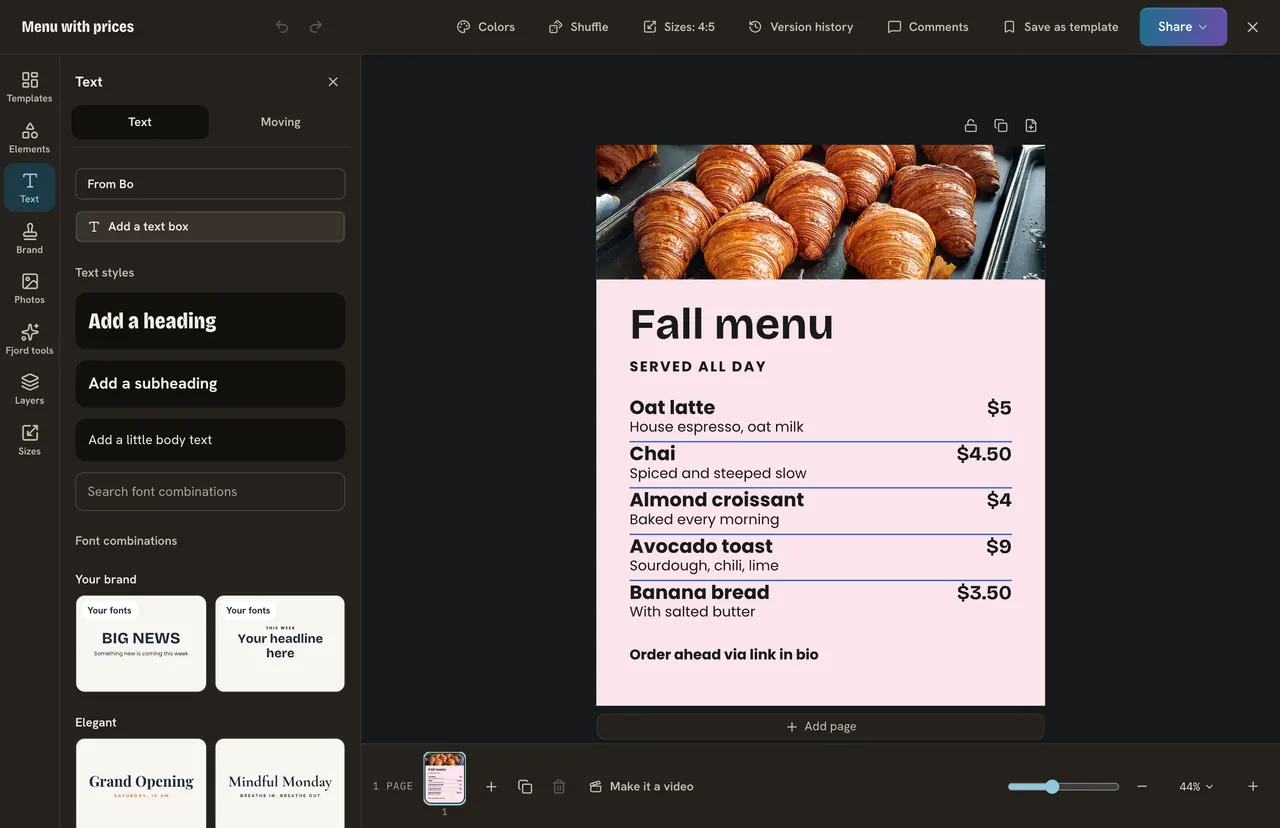
Find your way round
Left: rows that open a panel, like Elements, Photos, Layers and Sizes. Top: Share and a bar of tools for what you picked. Middle: the page. Bottom: the pages. Lost? Press Cmd+K (Ctrl+K on Windows) and type a name.
Words and colors
Click the headline once to pick it, again to type. Change every example word, also the small ones. Text shrinks to fit its box until you pick a size yourself.
Click an empty part of the page, then press the page color at the top. With a brand kit, press Colors, then Your brand. Shuffle gives a new look from your own colors and fonts.
Do it
For Maple Street Cafe:
- Change the headline to "Cinnamon rolls, Saturday 8 am".
- Change the small text to "$4 each. Maple Street Cafe".
- Change one color.
- Press Undo (Cmd+Z) and watch the last change go back.
Quick check · 3 questions
Check what stuck
You type a long headline and the letters get smaller. Why?
Show the answer
Text in a template shrinks to fit its box. Write more and it shrinks. Pick a size yourself and it stops.
You do not like a change. What is the quickest way back?
Show the answer
Press Undo. Undo takes back one step at a time.
How do you find a tool you cannot remember?
Show the answer
Press Cmd+K or Ctrl+K and type its name. The search finds panels and tools by name.
In this course
- 1Open Design and find a templateWhere Design is, and how to find a template with the search and Filter. · 3 min
- 2Change a template into yoursEdit the words, change the colors, put your brand on it, and undo anything you do not like. · 3 min
- 3Add your photosUpload your own photo or find a free one, swap one in a template, and use a photo as the background. · 3 min
- 4Elements, shapes and textAdd a shape, an icon or a sticker, add your own text box, and choose a font. · 3 min
- 5Layers and pagesSee, reorder, lock and line up the layers on your page, and add more pages for a carousel. · 3 min
- 6SizesWhy feed posts, stories and banners need different sizes, and how to save one design in several. · 3 min
- 7Save, download, post and schedulePress Share to save your design, download it, or turn it into a post and schedule it. · 3 min