Lesson 6 of 7 · 3 min
Sizes
Quick recallA shape hides part of your photo. How do you fix the order?Think of your answer, then open.
Drag the shape's row below the photo in Layers. Layers at the top of the list sit over the ones below.
A feed post, a story and a banner are different shapes. The wrong shape gets cut off or has empty bands.
Pick or change the size
Blank on the start page lets you pick Post (4:5) or Story. A template opens in its own size. To change a design you have, press Sizes, then the Format tab, and pick a shape. Your content moves to fit, so check the page after a big change. Custom size takes a width and height from 100 to 4000 pixels.
Several sizes at once
Tick up to 4 sizes in Sizes and click one to look at it. Fix what needs it. Only that size changes. Words, colors and fonts are the same in all. Reset this size goes back to the automatic layout. In a story, striped bands show where the app's buttons cover the picture. Keep words out of them.
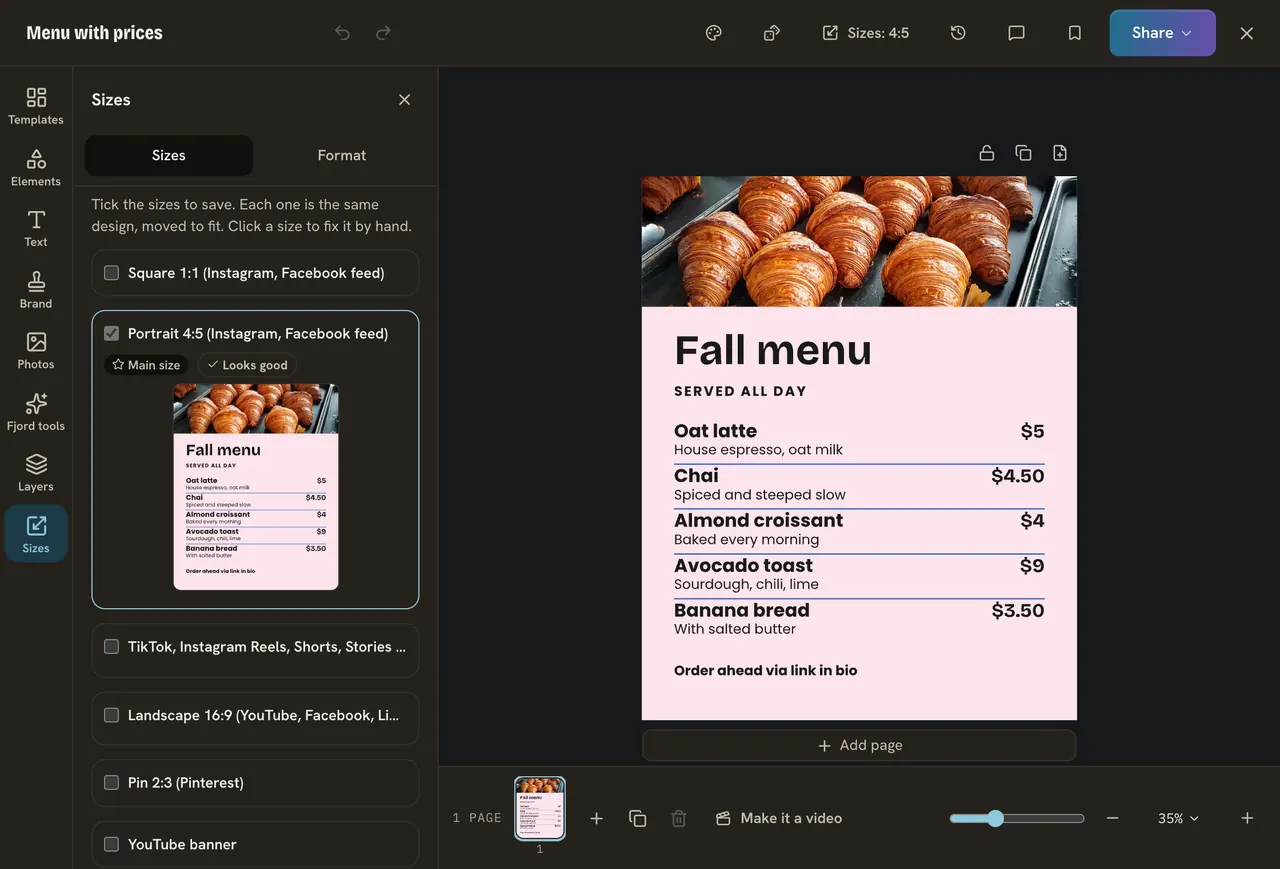
Do it
- Press Sizes.
- Tick Story as well as your current size.
- Click Story and move your headline away from the striped bands.
- Go back to the main size.
Quick check · 3 questions
Check what stuck
What do the striped bands in a story size show?
Show the answer
Where the app's own buttons cover the picture. Keep words out of them so nothing hides your message.
You change a word while looking at the story size. What happens in the other sizes?
Show the answer
The word changes there too. Words, colors and fonts are the same in every size. Only positions differ.
How big can a custom size be?
Show the answer
From 100 to 4000 pixels each way. The width and height are each between 100 and 4000 pixels.
In this course
- 1Open Design and find a templateWhere Design is, and how to find a template with the search and Filter. · 3 min
- 2Change a template into yoursEdit the words, change the colors, put your brand on it, and undo anything you do not like. · 3 min
- 3Add your photosUpload your own photo or find a free one, swap one in a template, and use a photo as the background. · 3 min
- 4Elements, shapes and textAdd a shape, an icon or a sticker, add your own text box, and choose a font. · 3 min
- 5Layers and pagesSee, reorder, lock and line up the layers on your page, and add more pages for a carousel. · 3 min
- 6SizesWhy feed posts, stories and banners need different sizes, and how to save one design in several. · 3 min
- 7Save, download, post and schedulePress Share to save your design, download it, or turn it into a post and schedule it. · 3 min