Lesson 4 of 7 · 3 min
Elements, shapes and text
Quick recallYou want a new picture in the photo frame of a template. What is the quickest way?Think of your answer, then open.
Drag your photo onto the template's photo. Dropping a photo on another photo swaps the picture and keeps the frame.
Elements and text add what a template is missing, like a price tag, an arrow or a short line.
Elements
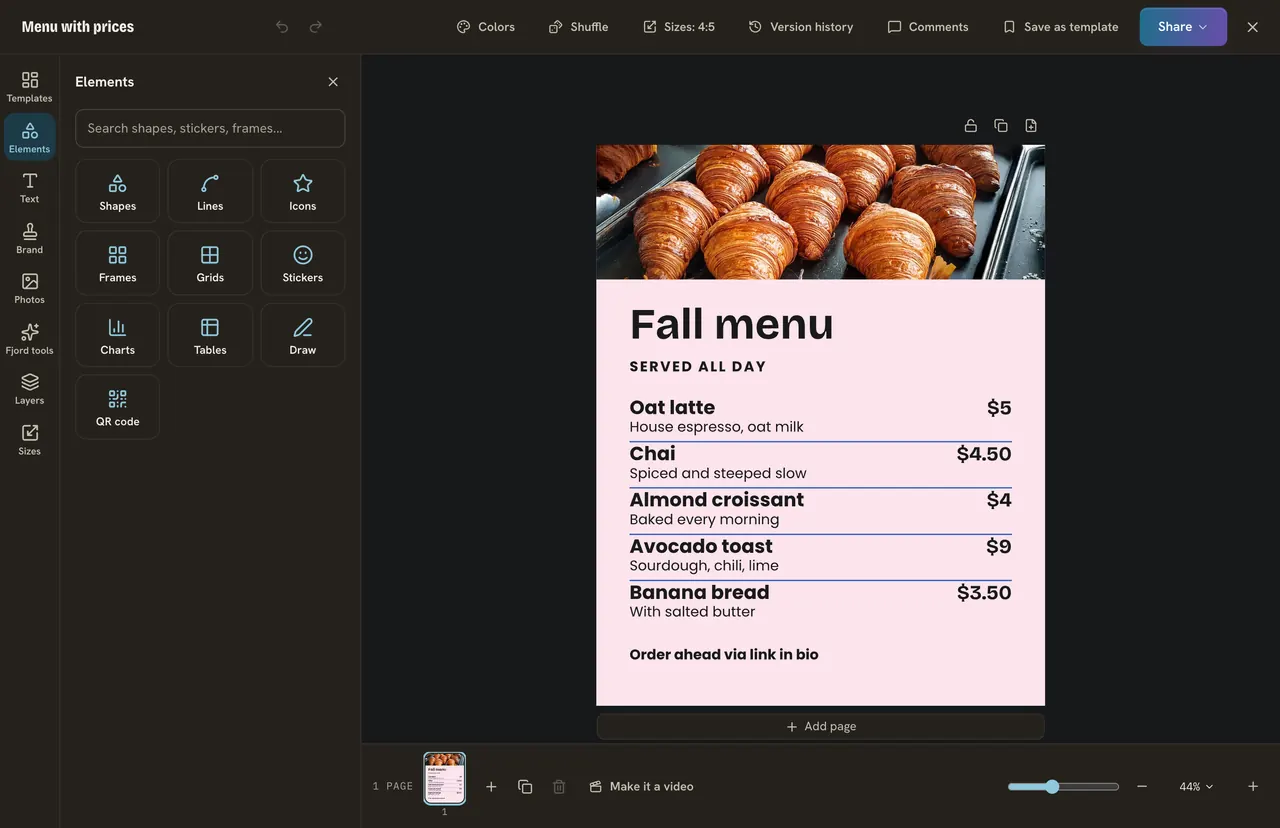
Press Elements. One search box, and a tile for each kind: Shapes, Lines, Icons, Frames, Grids, Stickers, Charts, Tables, Draw and QR code. Click an item and it lands in the middle. Drag a corner to resize it. To color a shape, pick it and press its fill color at the top.
Text and fonts
Press Text, then Add a text box. The words are already picked, so type at once. The bar at the top has the font, the size with - and +, the color, Bold and Italic. Press the font name to open the Font panel. Two fonts are plenty: one for the headline, one for the rest.
Do it
- Press Elements, then Shapes. Add a circle, move it to a corner and give it a brand color.
- Press Text, then Add a text box. Type "$4", put it on the circle and make it bold.
- Press Elements, then Icons. Search "coffee" and add one next to the headline.
Quick check · 3 questions
Check what stuck
Where do you find a circle, an arrow and a star?
Show the answer
Elements, then Shapes. Shapes lives inside Elements.
You added a text box. What can you do right away?
Show the answer
Type, because its words are already picked. A new text lands in the middle with its words picked.
How many fonts does a simple design need?
Show the answer
Two: one for the headline and one for the rest. Two fonts look planned. Many fonts look messy.
In this course
- 1Open Design and find a templateWhere Design is, and how to find a template with the search and Filter. · 3 min
- 2Change a template into yoursEdit the words, change the colors, put your brand on it, and undo anything you do not like. · 3 min
- 3Add your photosUpload your own photo or find a free one, swap one in a template, and use a photo as the background. · 3 min
- 4Elements, shapes and textAdd a shape, an icon or a sticker, add your own text box, and choose a font. · 3 min
- 5Layers and pagesSee, reorder, lock and line up the layers on your page, and add more pages for a carousel. · 3 min
- 6SizesWhy feed posts, stories and banners need different sizes, and how to save one design in several. · 3 min
- 7Save, download, post and schedulePress Share to save your design, download it, or turn it into a post and schedule it. · 3 min