If you run a small business, you are the marketing team. You write the posts. You answer the DMs between customers. You send the schedule to the person who asked on Tuesday, and again to the one who asked on Wednesday. Most of that work is the same every week.
Marketing automation means letting software do the parts that repeat. Postfjord automates marketing in 21 ways, and this guide starts with the five most owners need: what each does, what they cost, how to start on your own, and the mistakes that make automation feel like spam. All 21 are listed further down. The examples come from a yoga studio, a café and a small shop.
What marketing automation means for a small business
Large companies use the term for lead scoring and sales pipelines. A studio owner needs something smaller: the jobs you do the same way every time get done without you. A question in the DMs gets the same good answer at 11 PM as at noon. A new subscriber hears from you a minute after they sign up.
A quick test. If you have typed the same reply more than five times this month, it can be automated. If the answer changes every time, like a complaint or a custom cake order, keep it yours.
Automation should open the conversation and then step aside. In Postfjord, when you reply in a thread yourself, the automation pauses there, 30 minutes by default, so a customer never hears two voices at once.
Five automations a small business can run this week
Each of these runs on Postfjord's servers, so it keeps working when your laptop is closed.
1. Comment to DM
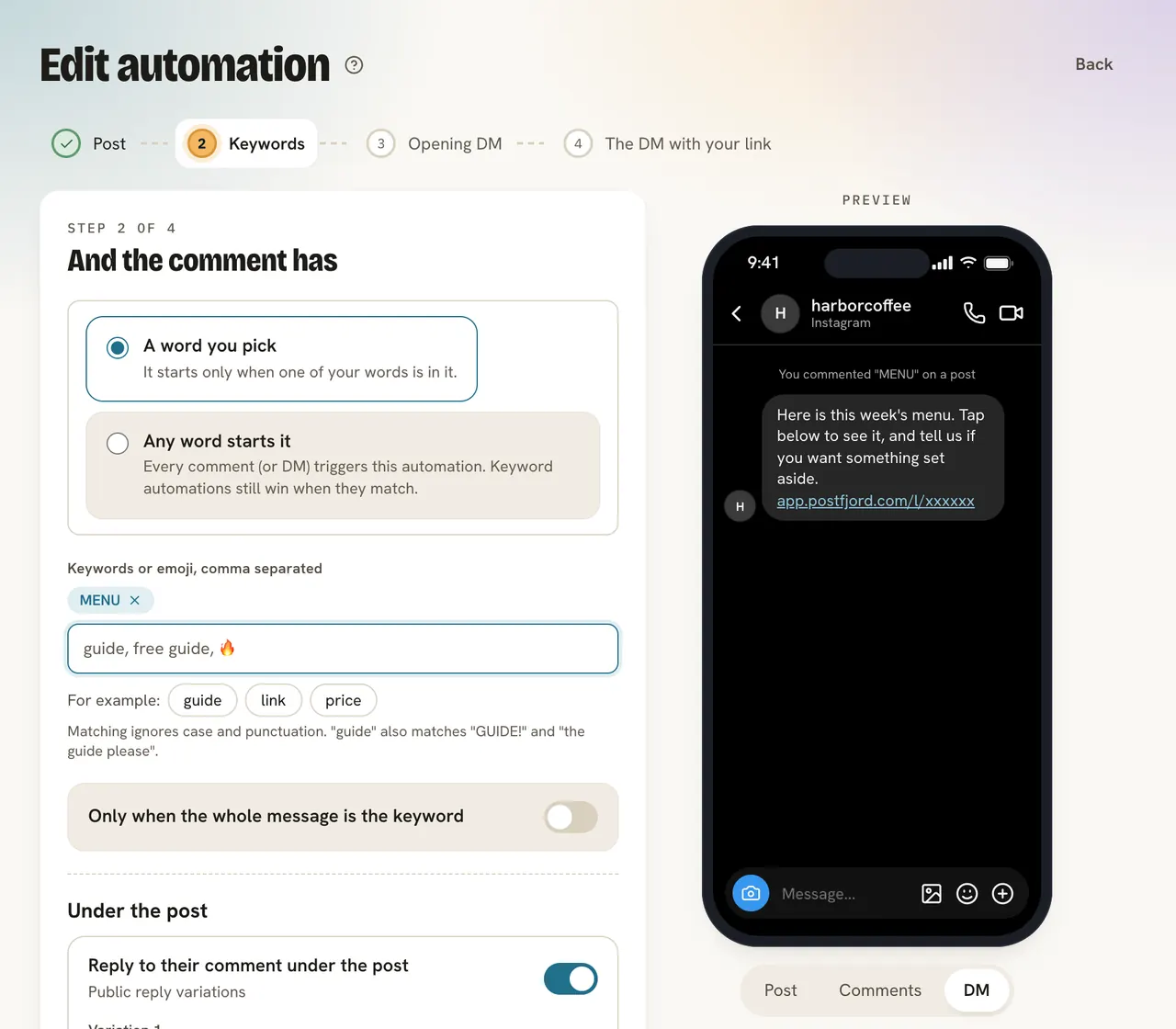
What it does: someone comments a word under your post. They get a public reply under the comment and your link in a DM, usually within seconds.
Example: a café in Portland posts its fall menu with "Comment MENU and we'll DM you the full list with prices." Every comment gets "Sent you a DM! Check your message requests" under it. That line matters: the first message from a business usually lands under message requests, and most people never open that folder unless you tell them to.
Set it up: open Automations, press New automation, pick Instagram & Facebook and then Comment to DM. Choose the post (The next post or reel works for one that is not out yet), type the word, write the DM with your link, tick Switch it on now and save. The Automation help page has every step, and how comment-to-DM works explains what happens between the comment and the DM. You can also set it up from the composer while you write the post, with the card DM automation for this post.
2. A keyword in a DM
What it does: someone writes a word like PRICES or HOURS in a DM and gets the answer you wrote.
Example: a yoga studio in Austin gets "how much is a class?" every few days. A keyword reply listens for price, cost, how much, drop in and answers: "A drop-in class is $22, and your first month is $59 for unlimited classes. Want the schedule?" A tap on the button sends the link.
Set it up: New automation, then Keyword reply. Pick the account, add the words, write the answer and save. Behind it, add a Default reply for messages that match nothing. It answers once a day per person, only in the hours you pick, like 10 PM to 7 AM.
Instagram and Facebook have free built-in options too. The Instagram auto reply guide compares them, and so does the guide to Messenger's options for a Page. For story replies, mention thank-yous and a follow check, read five more DM flows.
3. A welcome email series
What it does: a new subscriber confirms their address and gets your welcome email a minute later, then the next emails after the waits you pick.
Example: a candle shop in Nashville puts a signup form on its website and in its Instagram bio. The Welcome series template sends a thank you right away with a 10% code for the first order. Three days later come three tips: how to trim a wick, how long to burn a new candle, which scent sells best this month.
Set it up: make a form under Email, Campaigns, Email settings, New form. Then open Automations, press New automation, pick Email and Welcome series. Change the words, fill in everything in [brackets] and press Start. The Email automations help page lists every template, and welcome email examples has five short emails to copy.
Every address confirms first, with one click, before it gets your welcome.
4. A Flow from post to DM to landing page to email
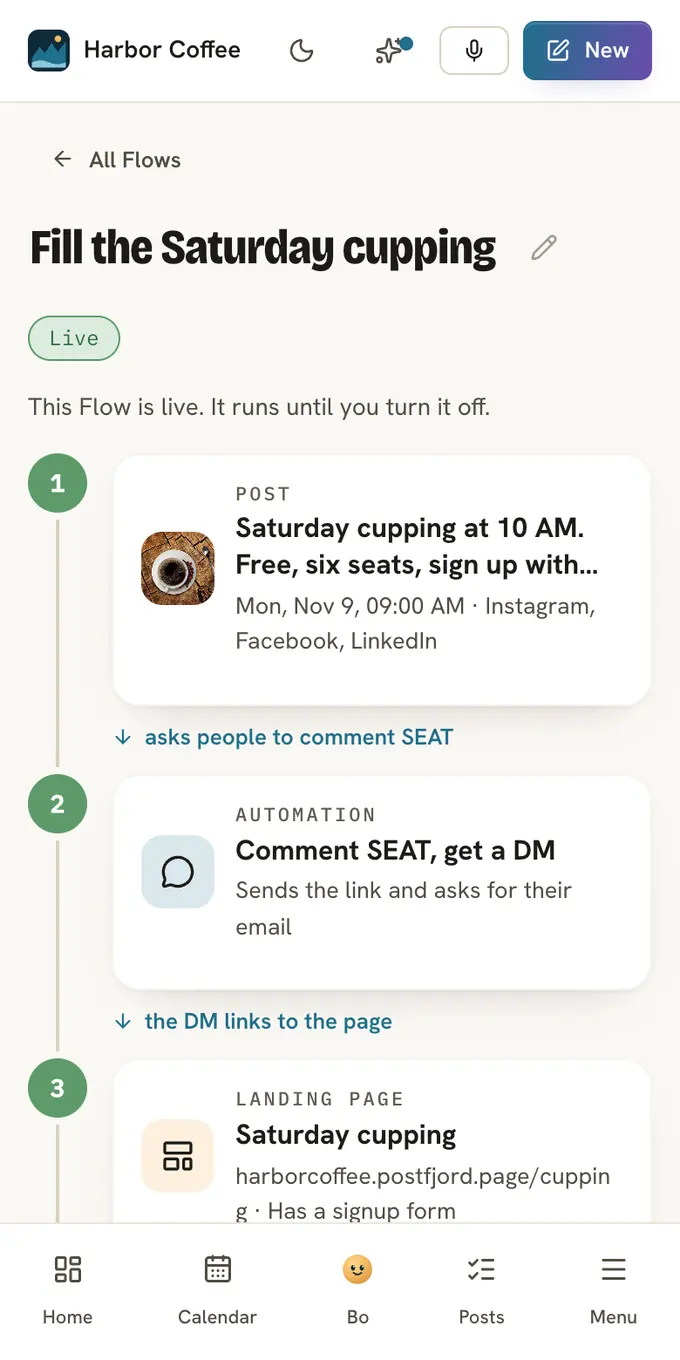
What it does: ties the first three together. A post asks people to comment a word, the DM sends them to a landing page, the page's form adds them to your list, and the emails start.
Set it up: open Flow in the menu under Create, press Start building, and add the steps: Post, Automation, Landing page, Welcome email. Each editor says Add to Flow where it would usually say Publish or Save, and nothing reaches anyone before you press Go live. Or describe the goal in one sentence and Bo, the assistant in Postfjord, plans the steps for you to change. A worked example is further down, and the steps are on the Flow help page.
5. Bo plans next week every Sunday
What it does: every Sunday at 6 PM in your time zone, Bo writes next week's posts from your strategy and emails you that the plan is ready. Nothing goes out until you approve it.
Example: the café owner opens the plan on Monday with the first coffee. Five posts wait, spread over her content pillars: the menu, the people behind the counter, events. She approves four, rewrites one, and the week is in the calendar before opening.
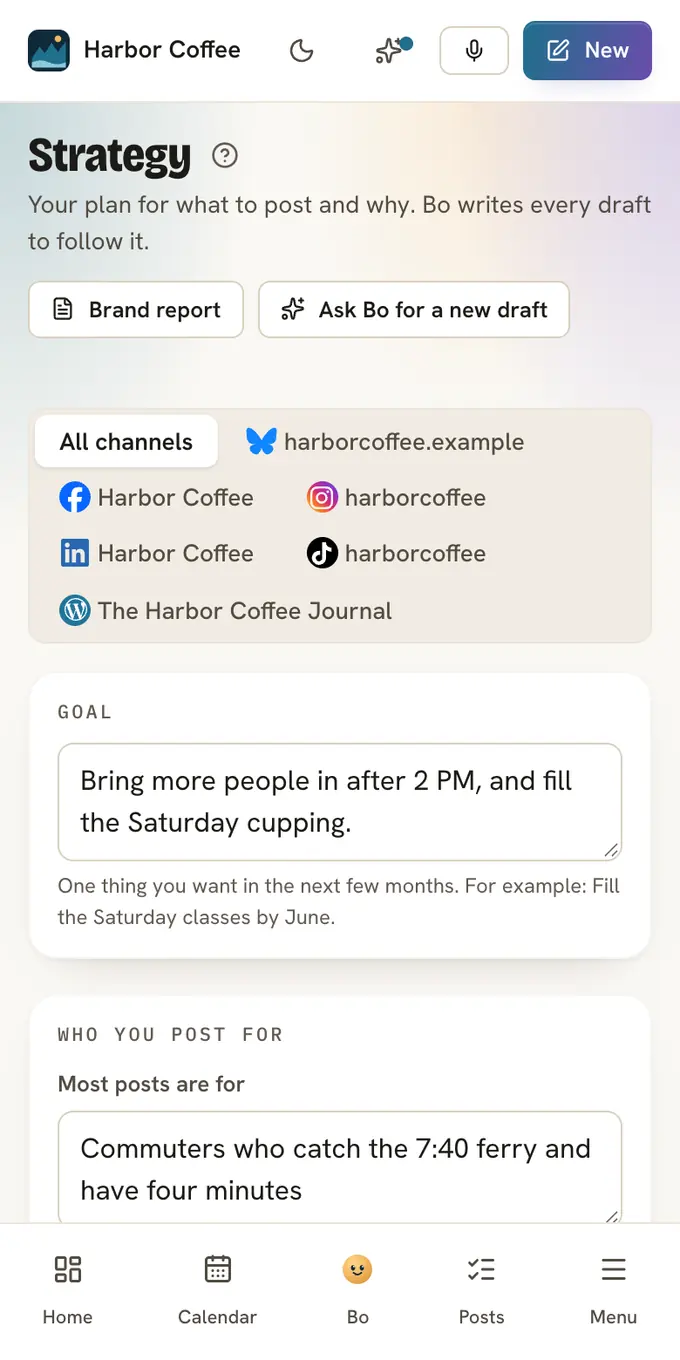
Set it up: open Strategy, where Bo writes a first draft of your goal, audience, pillars and rhythm for you to edit. Switch on Bo plans next week every Sunday and press Save. Bo plans at most 10 posts a week, or 3 on Free, from your AI budget. See Sunday drafts.
This is where AI marketing automation earns its place: it writes the first version and you keep the yes. In a DM automation, Let Claude answer follow-up questions answers from your brand profile, never makes up a price or a date, and marks the thread Needs a human when someone asks for a person. If you already plan in ChatGPT, Claude or Gemini, you can connect it to Postfjord.
All 21 ways Postfjord automates your marketing
The five above are where most owners start. These are all of them today, each with a link to its steps.
Chat: DMs and comments on Instagram and Facebook
- Comment to DM: someone comments a word like GUIDE under your post. They get a public reply under the comment and your link in a DM.
- Keyword reply: a word in a DM, like PRICES or HOURS, gets the answer you wrote.
- Story replies and mentions: a reply to your story gets an answer, and a tag in someone's story gets a thank you.
- Link or QR code: a link or a printed QR code opens a chat with you, and the automation says hello.
- Default reply: a message nothing else matched gets an answer, once a day per person, in the hours you pick.
- Ask for a review: after a booking or a payment, the person gets a thank you with a button to your Google or Trustpilot review form.
- Chat menu and conversation starters: questions people can tap before they have written anything.
- Add-ons on the link step: ask people to follow you first, ask for their email in the DM, follow up with people who did not click, add waits and conditions, and let Claude answer the questions that come after the link.
- Automation pause: when someone on your team replies in a thread, the automation waits, 30 minutes by default, so two voices never talk at once.
Mail: the people you collect
- Welcome email and email series: a new subscriber gets your welcome email a minute after they confirm, then the next emails after the waits you pick.
- Signup forms: a form on your website or on a form page of your own. A new address gets an email to confirm before it joins your list.
- Count your bookings: connect Calendly, Acuity or Cal.com. Everyone who books gets the tag Booked, and the booking counts for the DM or email that led there.
Flow: from a post to an email
- Flow: a post, a DM for people who comment a word, a landing page and an email series in one path. Press Go live once, and it runs until you turn it off. Paid plans.
Posts
- Scheduling: publish to Instagram, Facebook, LinkedIn, Threads, TikTok, Pinterest, Bluesky, Mastodon and Tumblr, plus blog posts to WordPress, Ghost, Wix and Shopify. X is an add-on.
- Sunday drafts: switch it on, and every Sunday at 6 PM Bo writes next week's posts from your strategy.
- One idea, every format: write one tip or paste a blog link. Claude writes a post for each channel, an email draft and a section for your website.
- Import from a spreadsheet: plan up to 200 posts in a CSV file and import them into the calendar at once.
Other apps
- Zapier and n8n: a new signup, sale, post or message starts a Zap or a workflow, and they can add contacts, tags and draft posts in Postfjord.
- ChatGPT, Claude and Gemini: connect the AI app you use and plan, draft and schedule posts in a chat.
- Team alerts: a short note in Slack, Discord or Telegram when a DM, a signup, a sale or a failed post needs someone.
- Shopify: sell your products in a DM automation and see the orders each DM, email or page brought in.
What marketing automation costs
The five automations above run inside one Postfjord plan. Prices today, in USD, from our pricing page:
| Plan | Price | What matters for automation |
|---|---|---|
| Free | $0 | 2 channels, 15 posts a month, 1 automation, a $1 AI budget. Signup forms, email sending and Flow need a paid plan. |
| Solo | $39 a month, or $29 a month paid yearly | 6 channels, unlimited posts and automations, 10,000 emails a month, a $7.50 AI budget |
| Studio | $99 a month, or $75 a month paid yearly | 10 channels, 5 workspaces, 30,000 emails a month, a $25 AI budget |
| Agency | $249 a month, or $189 a month paid yearly | 15 workspaces, 100,000 emails a month, a $60 AI budget |
Free covers week one of the plan below. Email needs a paid plan, because sending mail costs money and needs a checked sender. You pay for the emails you send, not for the size of your list.
Some owners add Zapier or n8n. Postfjord has a Zapier app and an n8n node from Solo up: a new signup, sale or message can start a Zap, and a Zap can add contacts and tags in Postfjord. Zapier sells its own plans, including a free one, so check its pricing page. n8n runs on a server of your own, so its cost is that server. You need neither for the five automations above. They earn their place when a Postfjord event has to reach a tool Postfjord does not connect to, like a row in your bookkeeping sheet for every sale.
Start in one week
Automation fails most often when it is all set up on a Sunday night and never looked at again.
Day 1. Scroll your DMs from the last month and find the question you answer most. Build that answer as a keyword reply, or as comment to DM if you want to promote it in a post. Test it from a second account.
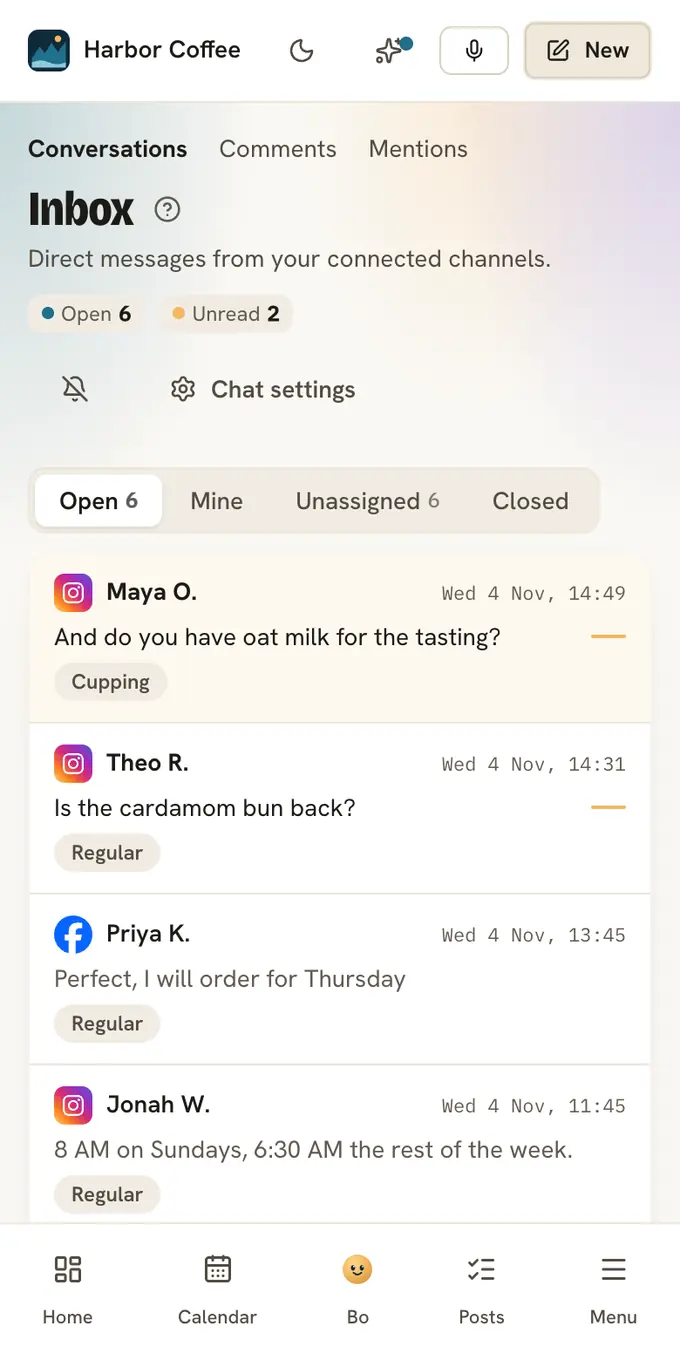
Days 2 to 6. Open Inbox once a day and read what went out. The automation shows Entered, Completed and Clicks. When it chose not to send, the thread has a grey line saying why: the 24 hour window had closed, a colleague was replying, the person opted out. Change one word at a time.
Day 7. Add the next one. For most owners that is a default reply for the evening, or a welcome email once people have somewhere to sign up.
Common mistakes
Too many automations at once. Five new automations on the same day means that when something sounds wrong, you cannot tell which one said it. Add one, watch it, then add the next.
No opt-in for email. Mail to a list people did not join gets reported, and reports can stop your sender from reaching anyone. In Postfjord every new address from a form or a DM confirms with one click before it gets your emails, and a Zap cannot say yes for anyone.
DMs nobody answers. People reply to automated DMs with real questions. An automation that sends a link and then goes quiet feels like a vending machine. Open the inbox every day and check the threads marked Needs a human first.
Promising a guide no automation sends. "Comment GUIDE" in a caption, with the automation switched off or listening for "guides", is the most common failure, and the comments under the post make it public. Test the word before the post goes out. See every step reads the automation back in plain words and marks in red a step that will not work, like an empty link.
How social and email connect
A follower belongs to Instagram. An email address is a way to reach someone that no feed decides. The useful automations move people from the first to the second, with their yes. Here is one path, built as a Flow.
A Pilates studio in San Diego wants new members in December.
- The post. A Reel from a beginner class goes out Monday at 7 AM: "Comment INTRO and we'll send you our two week intro offer."
- The DM. Everyone who comments INTRO gets "Sent you a DM!" under their comment, then a DM with a button that leads to the studio's landing page.
- The landing page. A page on postfjord.page with the offer, the beginner class times and a signup form.
- The welcome email. The moment the person confirms, it goes out with the offer and the booking link.
- The second email. Two days later: what to bring to the first class, and where to park.
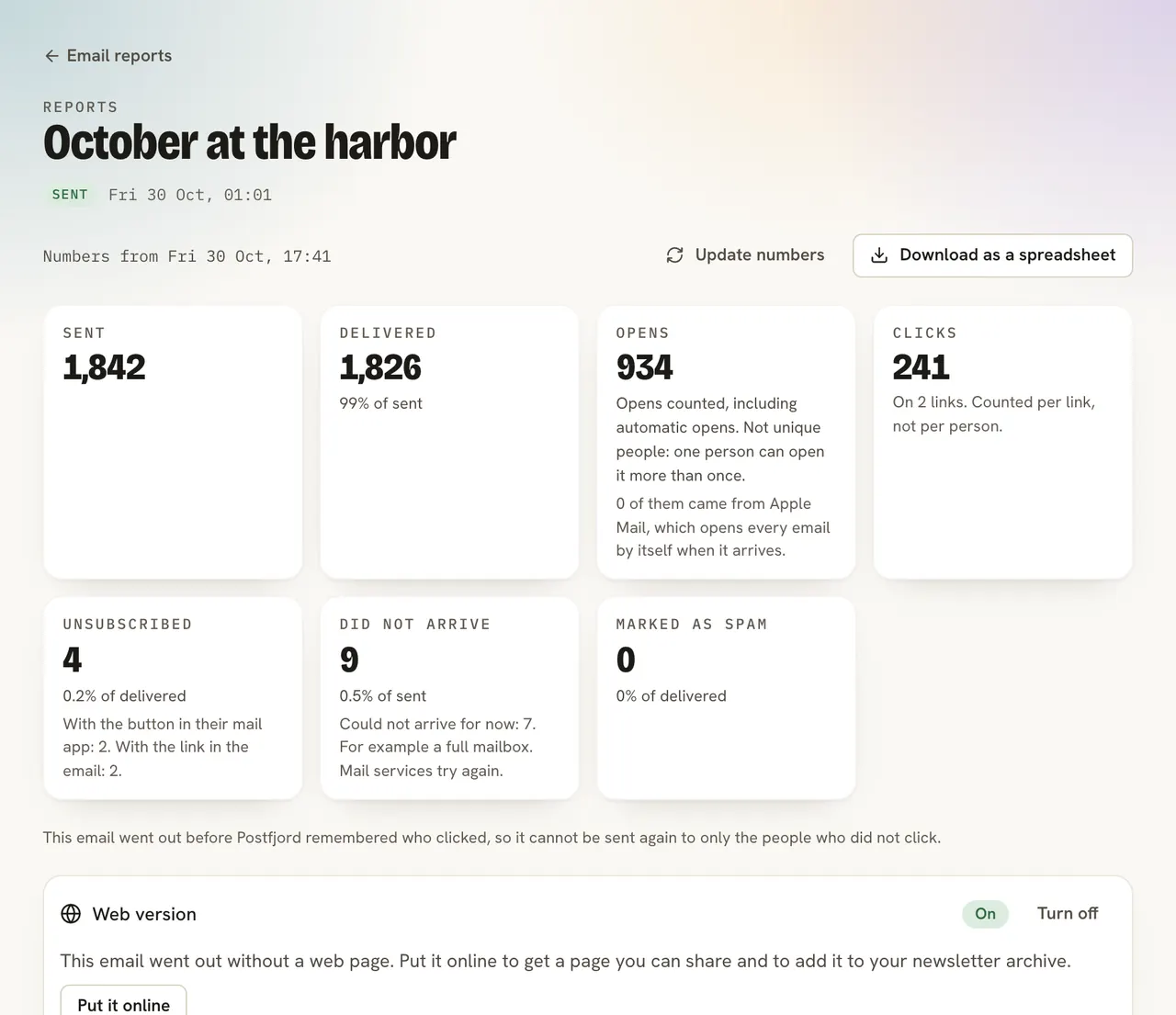
People who give their email in the DM join the same path, and the emails start once per address. The Flow page counts comments with the word, DMs sent, addresses confirmed, emails sent, page visits and signups. If the studio books through Calendly, Acuity or Cal.com, connect it: everyone who books gets the tag Booked, and the booking counts for the DM or email that led there.
When December ends, the studio sets a last day under Close to new signups automatically. New people stop joining, and the ones already in still get the second email on time.
FAQ
What is marketing automation for a small business?
Software doing the marketing jobs you repeat: answering the same DM questions, sending the link people asked for, welcoming new subscribers and drafting next week's posts. You write each message once, and it goes out every time the same thing happens.
Which marketing automation tools are cheapest for a small business?
Instagram's saved replies and Meta's inbox automations are free and cover simple auto replies. Postfjord's Free plan runs one DM automation and 15 posts a month. Paid plans start at $29 a month paid yearly, or $39 monthly, with unlimited automations, email and Flow. See pricing.
Can a small business automate Instagram DMs?
Yes, through Meta's official messaging API, which Postfjord uses. The person has to start: comment, write to you, reply to a story or tag you. After their last message you have 24 hours to reply automatically. A tool that logs in with your password to message strangers puts the account at risk.
How do I start marketing automation without a team?
Automate the answer to the question you get most, and watch it for a week before you add anything. One person can run several automations as long as someone reads the inbox every day.
What are good marketing automation examples?
A comment to DM that sends a menu or a schedule, a keyword reply for prices and hours, a default reply at night, a welcome email series, a thank you after a booking with a link to your review page, and a Flow from a post to a landing page to an email.